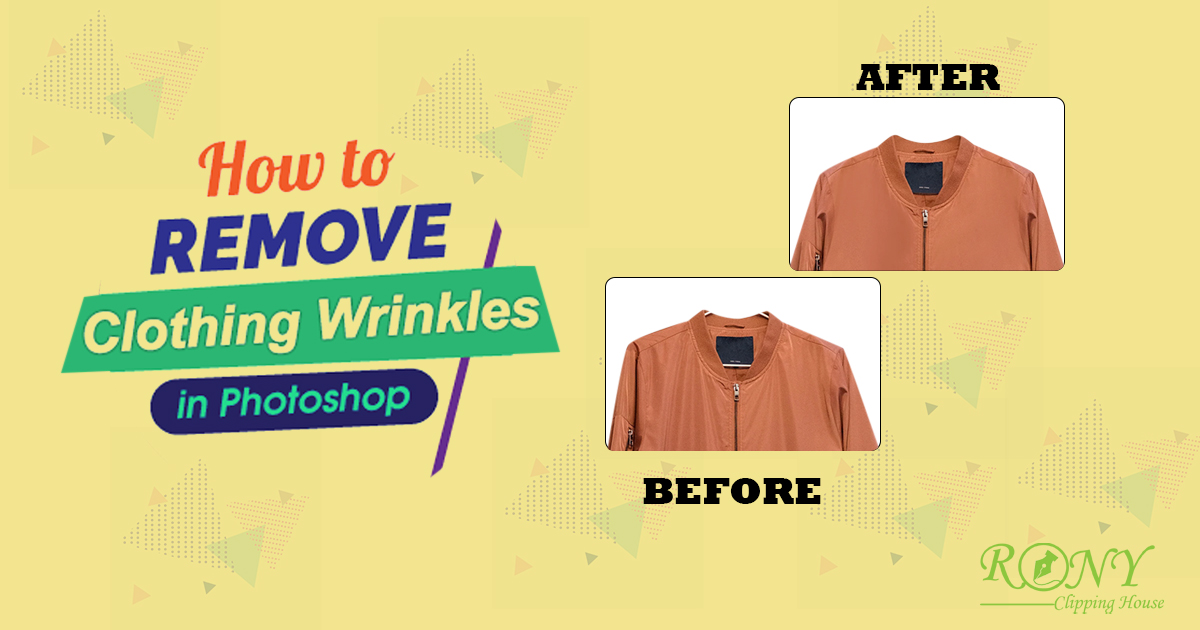
Wrinkles on clothing can make even the best clothing or luxury apparel look unnatural. Clients or potential customers want high-quality, clean, and well-lit images with fabric texture, stitching, accurate colors, and unique design features. Whether shooting for fashion, e-commerce, or branding campaigns. If wrinkles are visible in the image, you can remove them using 4 different Photoshop retouching techniques:
Spot Healing Brush Tool: The tool is effective for removing fabric wrinkles, especially small and isolated ones. It samples surrounding pixels and automatically blends them to remove wrinkles.
Frequency separation: The tool separates the color and texture information of an image into different layers, making it possible to make targeted adjustments to the color and texture of the fabric.
Patch Tool: The Patch Tool is effective for complex or larger wrinkles or folds. It makes a selection around the area you want to fix.
Healing Brush Tool: The Healing Brush Tool removes small wrinkles, providing precise control and subtle blending. It samples pixels from one part of an image and blends them with the color and tone of another part.